The ShopStatus product
One thread through the entire customer update.
Capture the visit, show the work moving, collect the response, and keep the advisor focused. Every screen is built around the same service request.
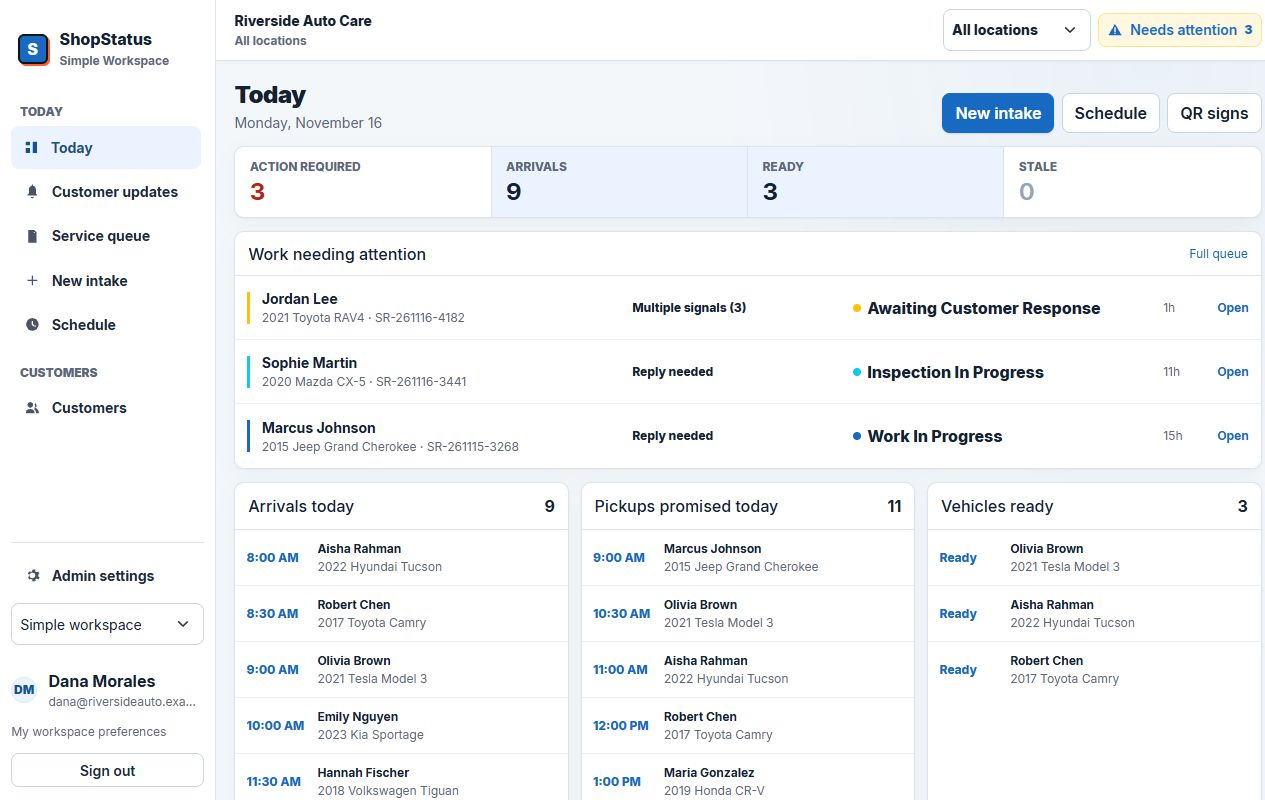
Capture the visit
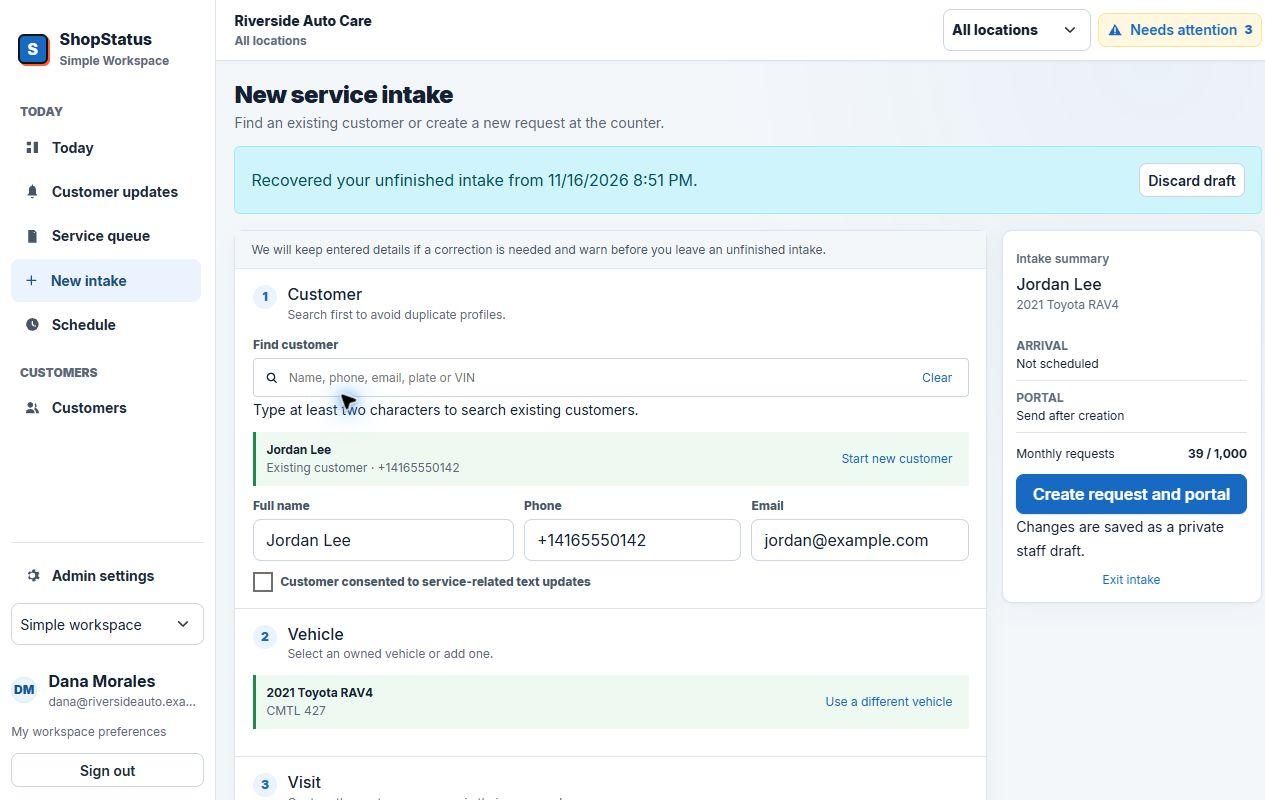
Start clean at the counter or from a QR code.
Create or link the customer, vehicle, request, consent, appointment, and portal link without re-keying the same visit across scattered notes.
- Front-desk intake and public check-in
- VIN scan and decode workflow
- SMS consent and reason for visit
- Today slot availability
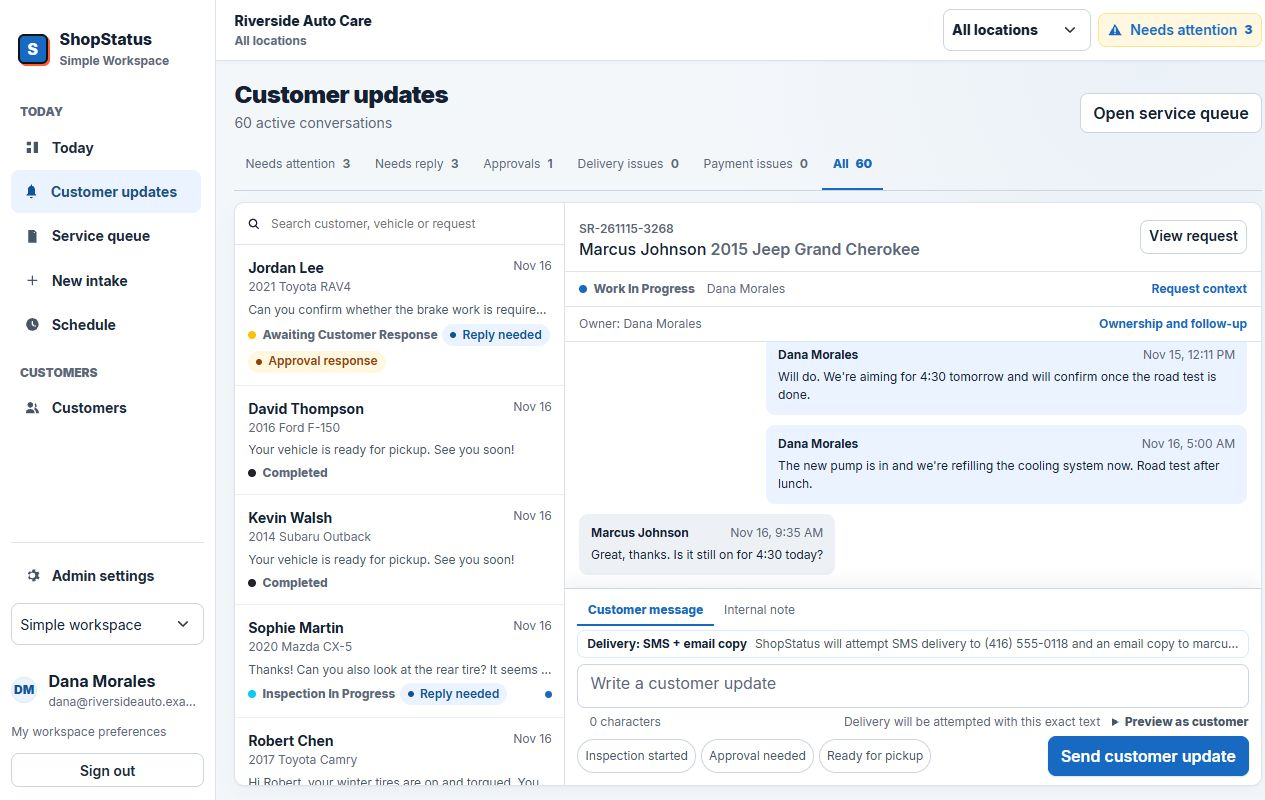
Communicate in context
Replies, approvals, and issues know which repair they belong to.
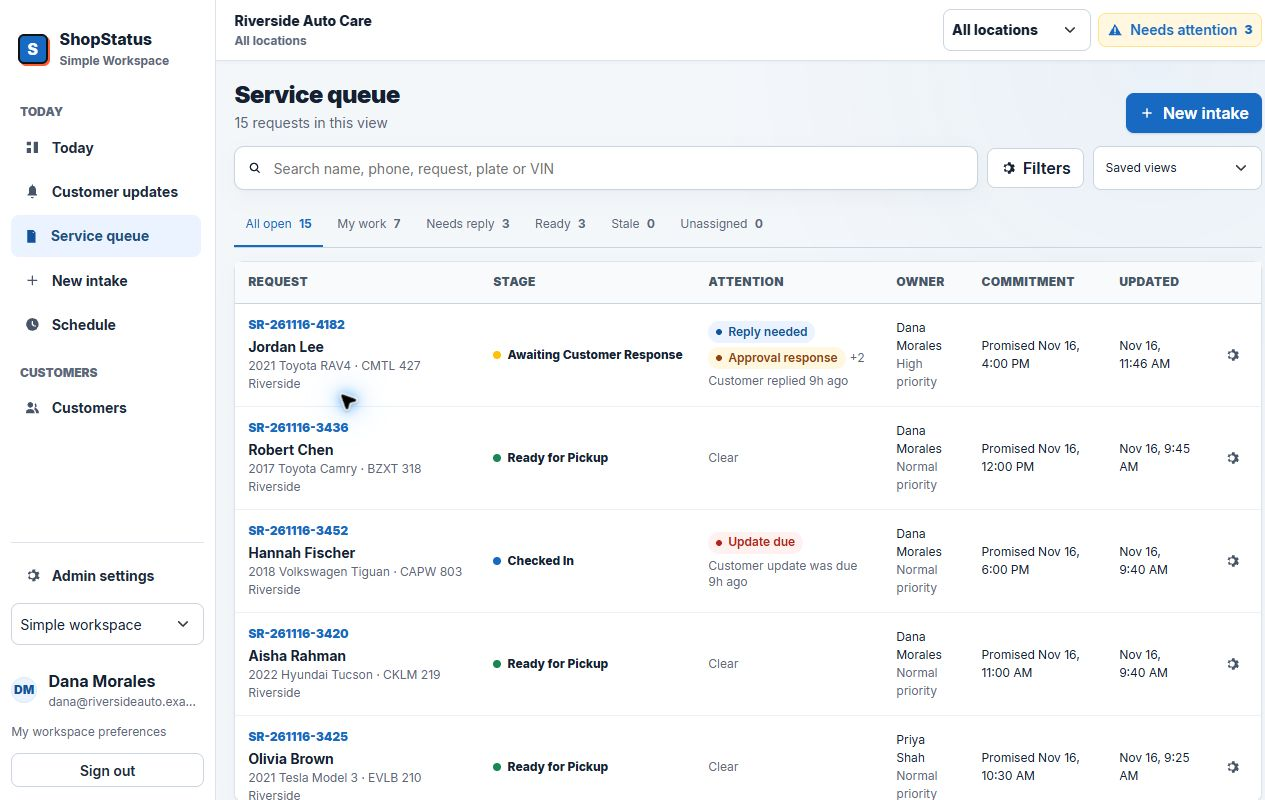
The advisor queue turns inbound replies, approval responses, notification problems, stale requests, and manager-review flags into one prioritized workload.
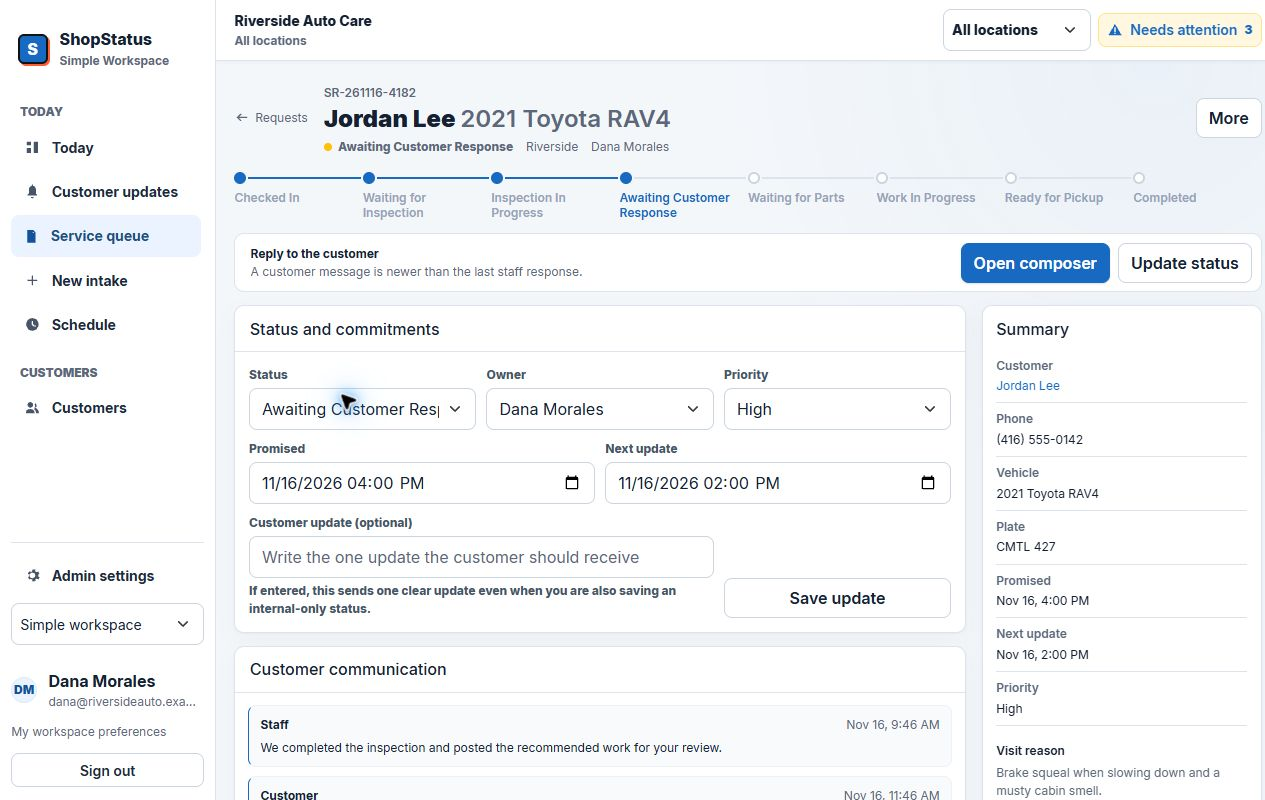
Make the repair visible
A complete request record for the shop. A clear status page for the customer.
Customer, vehicle, timing, estimate, approvals, inspection results, files, internal notes, and activity stay together as the request moves.
Coordinate the day
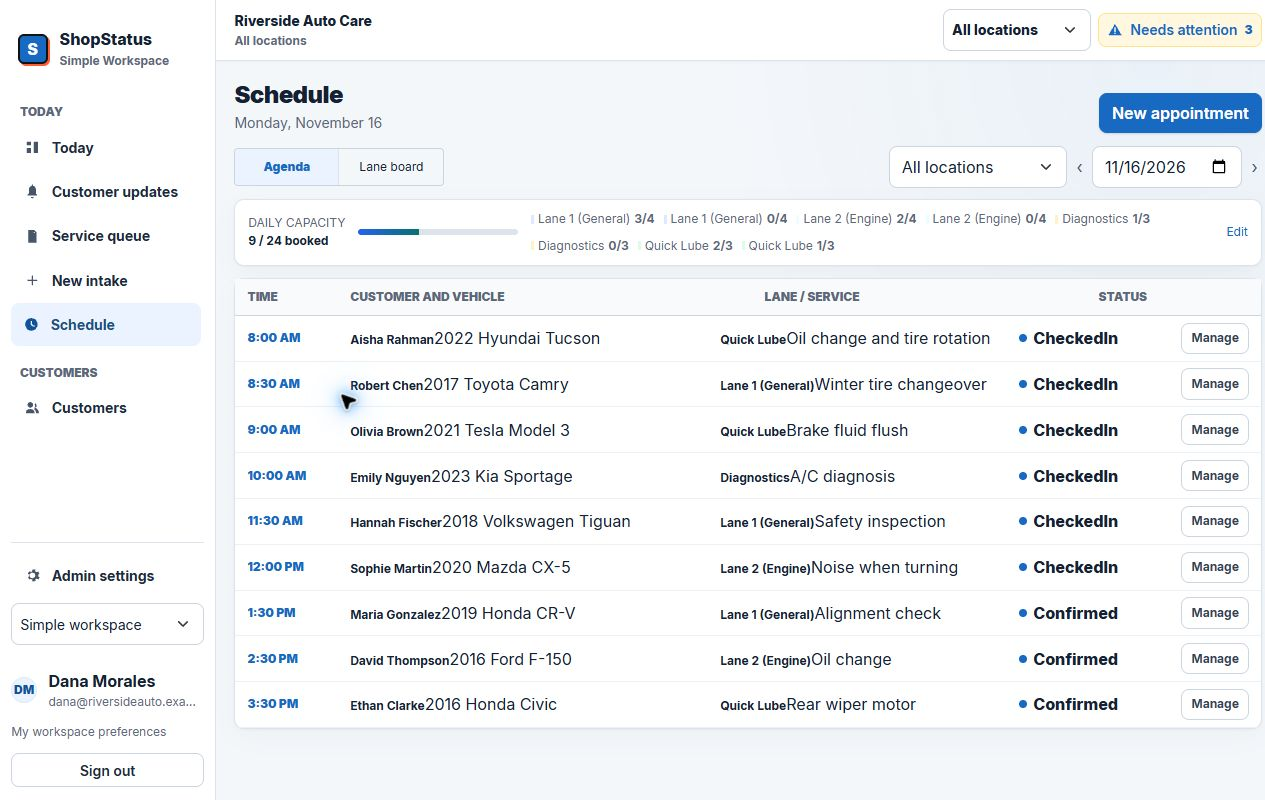
See capacity by lane, not as another flat appointment list.
Plan work across General, Engine, Diagnostics, Quick Lube, or the lanes that match your shop. Appointment blocks carry the request, vehicle, service, timing, and status.
- Daily capacity and lane utilization
- Location and date filters
- Planned start and end times
- Request-aware appointment blocks
Understand the operation
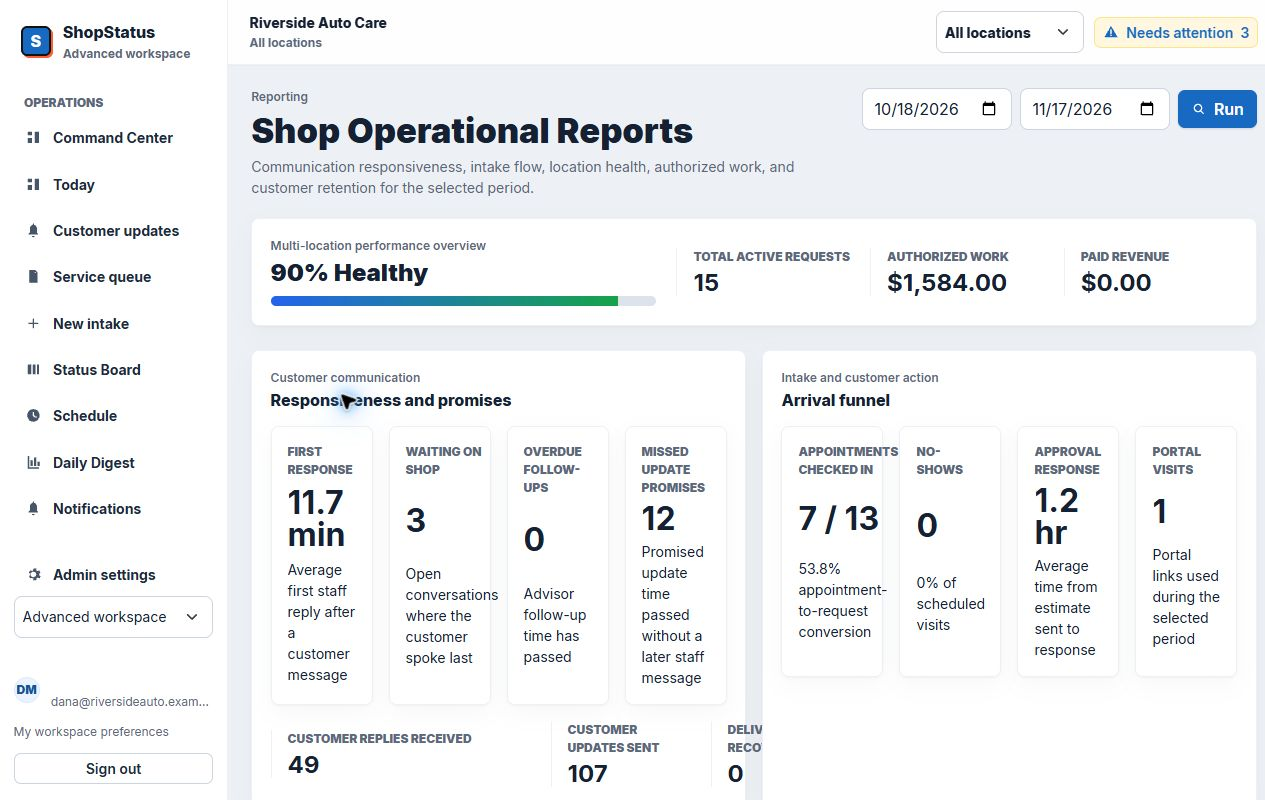
Owners see patterns. Advisors see the next action.
Operational reports, location filters, account health, audit history, and platform support make a one-location launch supportable as it grows into several.
- Request and communication activity
- Multi-location filters
- Setup and integration health
- Audited owner support access
Launch with guardrails
The software tells you what is ready and what still needs attention.
Onboarding progress, SMS state, email fallback, embed domains, staff setup, QR signs, notification logs, and shop health keep the rollout visible.
See onboarding and support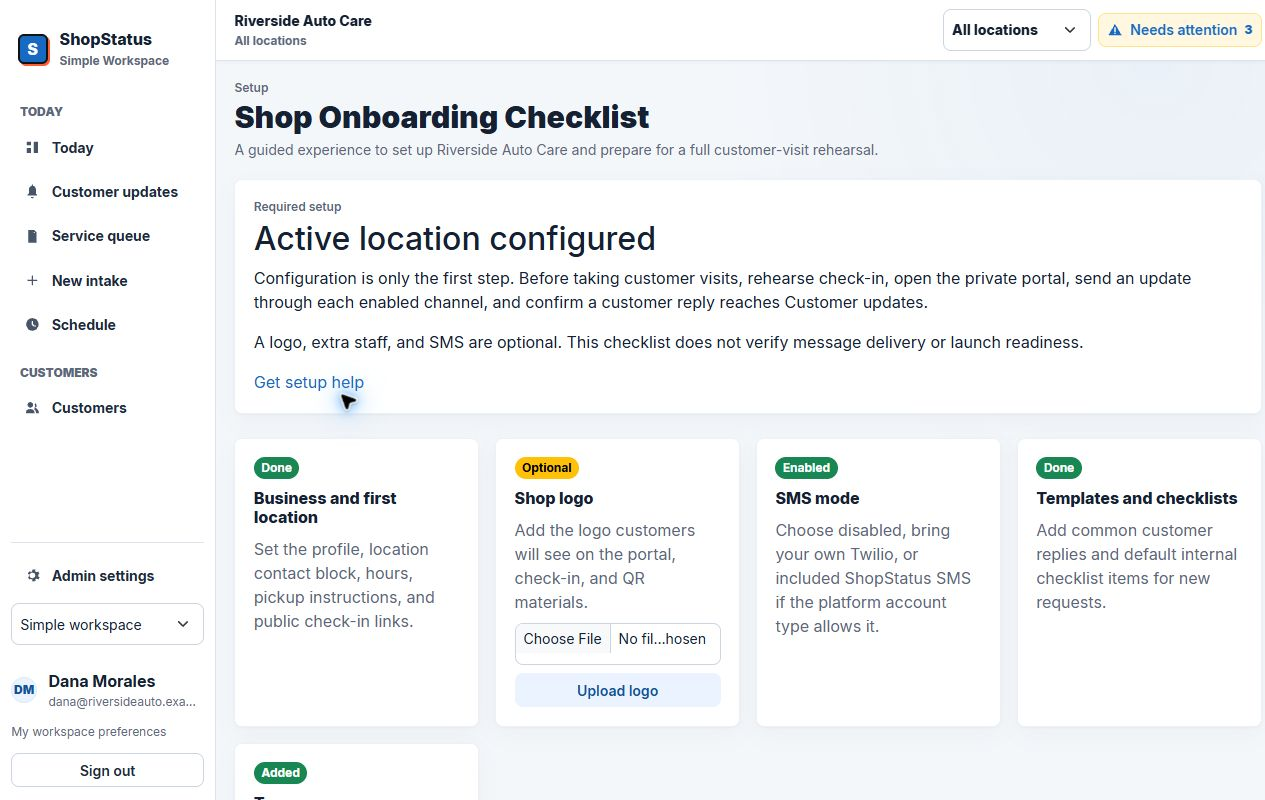
Product fit beats feature count
Bring the workflow that causes the most phone tag.
We will show the exact intake, update, reply, and pickup path in ShopStatus.